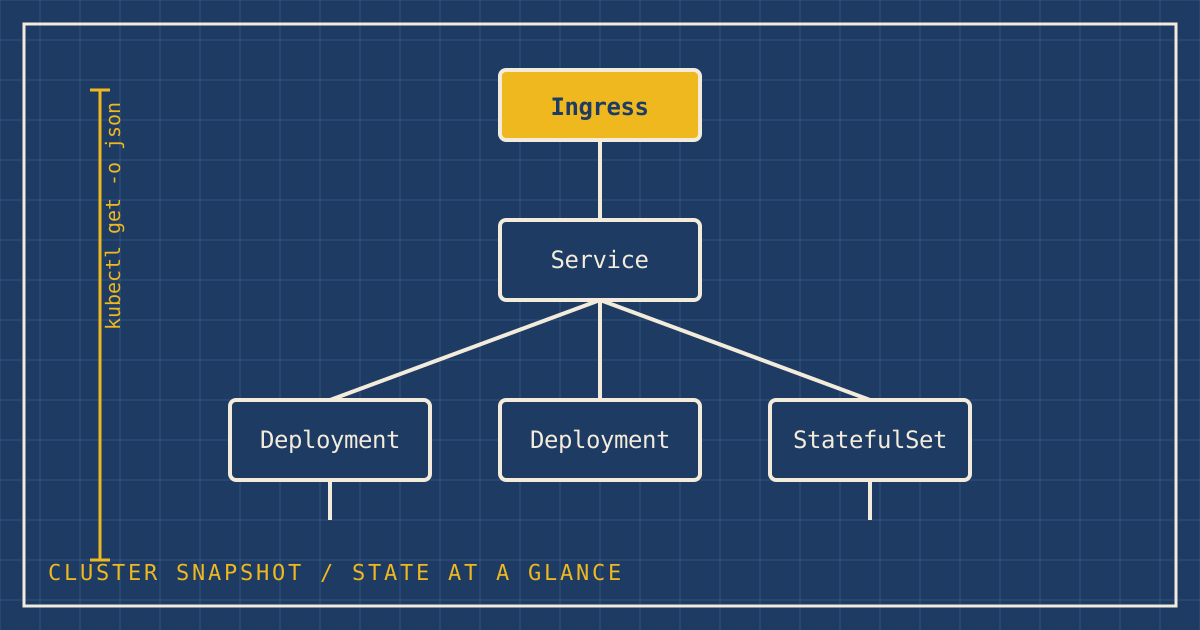
I found Kanvas by accident, while doing something very ordinary. I wanted a quick snapshot of the state of my clusters and of the applications running on them, and I was doing it the way I have for years: with kubectl.
The old way: a wall of text
I would export what I cared about to a file. Usually that was YAML, but in this case it was JSON. Either works.
kubectl get deployments,statefulsets,services,ingresses,configmaps \
  --all-namespaces -o json > cluster.json
That gives you everything, and it is also nearly impossible to read. Thousands of lines describe which things exist, but the thing I actually wanted to know was how they relate: which ingress routes to which service, which service selects which workload, what depends on what.
The shortcut: the Kanvas snapshot plugin
That is where the kubectl plugin for Kanvas came in. I fed it the export, and it gave me a snapshot: a visual diagram of the relationships between all of the infrastructure I had configured. For the first time I could see the cluster instead of reading it.
# 1. Export the live state
kubectl get deployments,statefulsets,services,ingresses --all-namespaces -o json > cluster.json

# 2. Turn it into a visual snapshot
kubectl kanvas snapshot cluster.json
And the part I like most: I can do it as many times as I want. It is cheap, it does not change anything in the cluster, and it is repeatable. A snapshot before a change and one after is the fastest review of an infrastructure change I have found.
Making it a habit
I do this a lot, so I stopped doing it by hand. I now run a small bash script that takes snapshots over time and updates my personal website, the one you are reading. The history ends up as a record of how my clusters changed.
#!/usr/bin/env bash
# scripts/snapshot-clusters.sh
# Export live cluster state, snapshot it, and commit the result to the site.
set -euo pipefail

CONTEXTS="${CONTEXTS:-$(kubectl config current-context)}"
OUT_DIR="${OUT_DIR:-assets/snapshots}"
STAMP="$(date -u +%Y-%m-%dT%H%M%SZ)"
# Override if your plugin invocation differs.
SNAPSHOT_CMD="${SNAPSHOT_CMD:-kubectl kanvas snapshot}"

mkdir -p "$OUT_DIR"

for ctx in $CONTEXTS; do
  raw="$(mktemp)"
  kubectl --context "$ctx" get deployments,statefulsets,services,ingresses \
    --all-namespaces -o json > "$raw"

  # Keep the raw export beside the visual snapshot for later diffing.
  cp "$raw" "$OUT_DIR/${ctx}-${STAMP}.json"
  $SNAPSHOT_CMD "$raw"
  rm -f "$raw"
done

git add "$OUT_DIR"
git commit -s -m "snapshots: $STAMP" || echo "no changes to commit"
git push
Run it from cron or a scheduled workflow, and the site keeps itself up to date. Because everything is committed, the same GitHub Actions workflow that publishes this site publishes the new snapshots.
secrets entirely), and review what you are about to publish before pointing this at a public repository.
Why it stuck
- It answers the real question. I am rarely asking "what exists?". I am asking "how does it connect?".
- It is built on the tool I already use. There is no new workflow to adopt, just one more step after
kubectl. - It travels. A picture goes into a post-mortem, a design review, or a conversation with a developer, and everyone understands it.
It is the same idea that moved my team from a Wall of YAML to Infrastructure as Design. Code is how you run a system. A diagram is how you understand it.